Hyperscaler Cloud @Home
Introduction
These days, at work, we don’t really have to care about server racking, cabling, powering, and the many other *ings required when dealing with hardware.
Logistic companies like Amazon/AWS have managed to hide it all behind convenient APIs, and frankly, they do it better than we could.
That’s only valid in a professional context however. At home, unless you are /r/wallstreetbets inclined financially, putting your credit card into Vercel, AWS or GCP is a bit risky for your bank account (see these billing horror stories).
Homelabing with an old rig in the closet or a fancy 10" rack of refurb mini-PCs often are more sensible options.
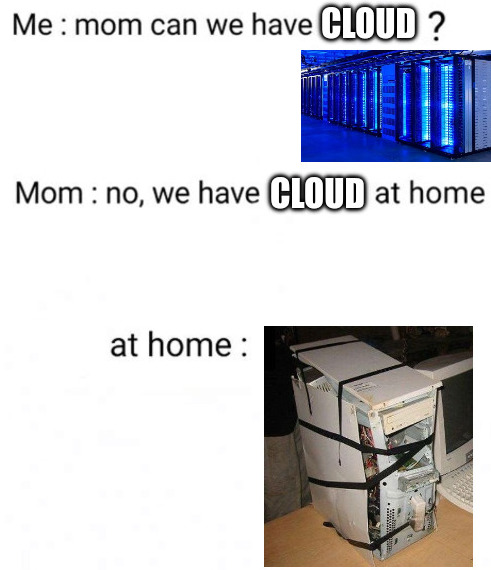
Cloud @Home
But at first glance, it comes at a cost: manual setup is in and things are no longer abstracted away…
… or so it seems…
In reality, we can actually re-use at home most of the same tools available for the Cloud(™).
This post will present one of them: Terraform/Tofu and show how it can manage a basic Libvirtd/KVM hypervisor.
Locally Sourced Tofu
Making a hypervisor out of a Debian install is extremely easy: install Debian, and run apt install libvirt-daemon.
But past that, wouldn’t it be nice to be able to manage our libvirtd/kvm hypervisor with Tofu/HCL like we would on AWS?
Well, thanks to dmacvicar’s libvirt provider, we can, and here is how.
Notes:
- Don’t hesitate to play with this code. You can download the full main.tf, and with a few tweaks, you should be able to apply it on your own hypervisor.
- To apply this configuration, run
tofu init(once) andtofu applyas root in the same dir asmain.tf.- OpenTofu can be installed from the official website.
Libvirt Provider Setup
First, declare the libvirt provider and point it at the local hypervisor:
terraform {
  required_providers {
    libvirt = {
      source  = "dmacvicar/libvirt"
      version = "~> 0.9.7"
    }
  }
}

provider "libvirt" {
  uri = "qemu:///system"
}
Notes:
qemu:///systemconnects to the local hypervisor. You can also point it at a remote host over SSH withqemu+ssh://<USER>@<HOST>/system. But be aware that it could make image management fiddly (local FS vs remote FS).
Networks
We probably need some LAN segments to put our VMs in, at least a private network and also, usually, a bridge to our home network.
The libvirt provider can manage these networks through its libvirt_network resources.
Here is private NATed network declaration:
locals {
  network_name = "homelab-nat"
  network_cidr = "192.168.150.0/24"
}

resource "libvirt_network" "MY_NETWORK" {
  name      = local.network_name
  autostart = true
  forward   = { mode = "nat" }
  bridge = {
    name  = "virbr1"
    stp   = "on"
    delay = "0"
  }
  ips = [{
    address  = cidrhost(local.network_cidr, 1)
    netmask  = cidrnetmask(local.network_cidr)
    dhcp = {
      ranges = [{
        start = cidrhost(local.network_cidr, 50)
        end   = cidrhost(local.network_cidr, 254)
      }]
    }
  }]
}
Outside of Tofu & libvirt we will also need to create a br0 NIC bridge for direct access to our home network.
To create it temporarily:
ip link add name br0 type bridge
ip link set br0 up
To make it persistent on Debian, edit /etc/network/interfaces and add something like:
auto br0
iface br0 inet dhcp
    bridge_ports eth0
    bridge_stp off
    bridge_fd 0
Replace eth0 with your actual physical NIC.
Storage Pools
Before creating any disks/volumes, we need storage pools first. A pool is just a directory that libvirt manages.
At its simplest, a declaration looks like that:
resource "libvirt_pool" "MY_DISK_POOL" {
  name = "MY_DISK_POOL"
  type = "dir"
  target = {
    path = "/var/lib/libvirt/images/MY_DISK_POOL"
  }
}
Base VM Image
We could install the VM using a modified .iso or with pxe netboot setup, like we would with bare metal machines.
But, since we are already past the bare metal, a more convenient option is to directly download and use official images from Debian, Rocky or your preferred distribution.
By just pointing at the URL, the libvirt Tofu module can download and register this base image in our hypervisor’s libvirt:
locals {
  debian_image_url = "https://cloud.debian.org/images/cloud/trixie/latest/debian-13-generic-amd64.qcow2"
}

resource "libvirt_volume" "debian_base" {
  name = "debian-base.qcow2"
  pool = libvirt_pool.MY_DISK_POOL.name
  create = {
    content = {
      url = local.debian_image_url
    }
  }
  target = {
    format = { type = "qcow2" }
  }
}
And from there, with the backing_store directive, this image can be used as the foundation for multiple VMs.
Cloud Init
Cloud images usually ship with cloud-init, which we can leverage to bootstrap the VMs.
At this stage, it’s advisable to do as little as possible, but we will typically want to configure:
- some network settings
- a Salt/Puppet/Chef agent or some SSH credentials for Ansible
- usually, a default account for troubleshooting
One of the nice feature of this tofu/libvirt provider is its ability to create cloud-init payloads/volumes.
With tofu apply, this will create a small (< 1MB) .iso volume which can be attached to the VM cdrom, and consumed at first boot:
# Cloud-init configuration for the YOUR_VM VM
resource "libvirt_cloudinit_disk" "YOUR_VM_seed" {
  name = "YOUR_VM-cloudinit"

  user_data = <<-EOF
    #cloud-config
    users:
      - name: admin
        groups: [sudo]
        shell: /bin/bash
        ssh_authorized_keys:
          - ssh-ed25519 AAAAC3... your-key-here

    write_files:
      - path: /etc/sudoers.d/admin
        permissions: '0440'
        content: |
          %admin ALL=(ALL:ALL) NOPASSWD: ALL

    chpasswd:
      list: |
        root:password
      expire: false

    ssh_pwauth: true

    packages:
      - openssh-server
      - qemu-guest-agent

    runcmd:
      - systemctl enable --now qemu-guest-agent

    timezone: UTC
  EOF

  meta_data = <<-EOF
    instance-id: YOUR_VM
    local-hostname: YOUR_VM
  EOF

  network_config = <<-EOF
    version: 2
    ethernets:
      enp1s0:
        addresses:
          - 192.168.1.13/24
        gateway4: 192.168.1.254
        nameservers:
          addresses:
            - 192.168.1.25
      enp2s0:
        dhcp4: true
  EOF
}

# create cloud-init to ISO volume
resource "libvirt_volume" "YOUR_VM_seed_volume" {
  name = "YOUR_VM-cloudinit.iso"
  pool = libvirt_pool.MY_DISK_POOL.name
  create = {
    content = {
      url = "file://${libvirt_cloudinit_disk.YOUR_VM_seed.path}"
    }
  }
}
Notes: we also install and enable
qemu-guest-agenthere. Installing it helps a lot with IP management in thelibvirtprovider.
VM Creation
Once we have the networks, the pools, the base OS image and some cloud-init configuration, we can at last create the VM itself.
Let’s start with the main disk:
resource "libvirt_volume" "YOUR_VM_disk" {
  name     = "YOUR_VM-disk.qcow2"
  pool     = libvirt_pool.MY_DISK_POOL.name
  capacity = 53687091200 # 50GB

  # Reuse the cloud image we got previously
  backing_store = {
    path   = libvirt_volume.debian_base.path # Base VM Image we downloaded earlier.
    format = { type = "qcow2" }
  }
  target = {
    format = { type = "qcow2" }
  }
}
And from there, we can actually create the VM:
resource "libvirt_domain" "YOUR_VM" {
  name      = "YOUR_VM"
  type      = "kvm"
  memory    = 1048576  # 1GB (1024 * 1024)
  vcpu      = 2
  running   = true
  autostart = true

  os = {
    type         = "hvm"
    type_arch    = "x86_64"
    type_machine = "q35"

    # Weirdly in bios mode, virtio on disks was not working.
    # The VM was not booting completely.
    # So EFI it is.
    firmware     = "efi"
  }

  cpu = {
    mode = "host-passthrough"
  }

  # Necessary for EFI
  features = {
    acpi = true
    apic = {}
  }

  devices = {
    pci = [
      { type = "pci", model = "pcie-root" }
    ]
    disks = [
      {
        source = {
          volume = {
            # our disk
            pool   = libvirt_volume.YOUR_VM_disk.pool
            volume = libvirt_volume.YOUR_VM_disk.name
          }
        }
        target = { dev = "vda", bus = "virtio" }
        driver = { type = "qcow2" }
      },
      {
        device = "cdrom"
        source = {
          volume = {
            pool   = libvirt_pool.MY_DISK_POOL.name
            volume = libvirt_volume.YOUR_VM_seed_volume.name # Use the cloud-init iso/image we defined earlier
          }
        }
        target = { dev = "sda", bus = "sata" }
      }
    ]

    # Two network interfaces: bridge br0 + MY_NETWORK
    interfaces = [
      {
        type  = "bridge"
        model = { type = "virtio" }
        source = { bridge = { bridge = "br0" } }
        wait_for_ip = { timeout = 300, source = "any" }
      },
      {
        type  = "network"
        model = { type = "virtio" }
        source = {
          network = {
            network = libvirt_network.MY_NETWORK.name
          }
        }
        wait_for_ip = { timeout = 300, source = "any" }
      }
    ]

    # Channel for qemu-guest-agent communication between VM and hypervisor
    # mostly to report back the VM's IPs
    channels = [
      {
        target = { virt_io = { name = "org.qemu.guest_agent.0" } }
        source = { unix = { mode = "bind" } }
      }
    ]

    # Useful to get a console without vnc/spice
    # run > sudo screen `virsh ttyconsole YOUR_VM`
    consoles = [
      {
        type   = "pty"
        target = { type = "serial", port = "0" }
      }
    ]

    # GUI/spice troubleshooting (through virt-manager for example)
    videos = [
      { model = { type = "virtio", heads = 1, primary = "yes" } }
    ]
    graphics = [
      {
        spice = {
          autoport = "no"
          port     = 5930
          listen   = "127.0.0.1"
          listeners = [
            {
              type = "address"
              address = {
                address =  "127.0.0.1"
              }
            }
          ]
        }
      }
    ]
  }
}
DNS Records
Lastly, as it’s nicer to deal with proper hostname rather than IP addresses, let’s configure a Tofu DNS provider.
First, you need to configure have a DNS server allowing RFC 2136 dynamic updates to a zone.
I will not detail this configuration much here, but with Bind/Named, it could be done like that:
First, generate a key:
$ dnssec-keygen -a HMAC-SHA512 -b 512 -n HOST example.com.
# it creates two files:
$ ls K*
Kexample.com.+165+27879.key  Kexample.com.+165+27879.private

# content
$ cat K*.private
[...]
Key: dGVzdC1leGFtcGxlLXRzaWctc2VjcmV0
[...]
Second, allow the zone to be updated by said key:
key example.com. {
    algorithm       hmac-sha512;
    secret "odGVzdC1leGFtcGxlLXRzaWctc2VjcmV0";
};

zone "example.com" {
    type master;
    file "/var/lib/bind/db.example.com";
    allow-update { key "example.com."; };
};
And check that the bind user is able to write the /var/lib/bind/ directory and the zone file.
Once you have your DNS server setup, you can again use Tofu and its dns provider to manage the DNS records:
# datasource in the libvirt provider to recover the IP addresses
data "libvirt_domain_interface_addresses" "YOUR_VM" {
  domain = libvirt_domain.YOUR_VM.name
  source = "agent"
}

# set some variables,
# also the libvirt_domain_interface_addresses data might need some filtering there
# (ex: pick the correct nic, filter out localhost, etc)
locals {
  dns_zone = "example.com."
  my_hosts = {
    "your-vm" = data.libvirt_domain_interface_addresses.YOUR_VM.interfaces[2].addrs[0].addr
  }
}

provider "dns" {
  update {
    server        = "192.168.100.100" # Replace with your DNS server
    port          = 53
    key_name      = "tofu-homelab." # Replace with your zone
    key_algorithm = "hmac-sha512"
    key_secret    = "dGVzdC1leGFtcGxlLXRzaWctc2VjcmV0" # base64 TSIG secret from your nameserver config
  }
}

# loop over your VMs
resource "dns_a_record_set" "lan" {
  for_each  = local.my_hosts
  zone      = local.dns_zone
  name      = each.key
  addresses = [each.value]
  ttl       = 300
}

# CNAME/Alias example
resource "dns_cname_record" "alias" {
  zone  = local.dns_zone
  name  = "alias-myvm"
  cname = "myvm.${local.dns_zone}"
  ttl   = 300
}
Generating Ansible Inventory
The last bit I like to do is to have Tofu generate an Ansible inventory file.
This enables me to bridge the .tf/infrastructure creation step and the server configuration step more naturally.
In terms of implementation, it’s nothing fancy, just a basic template leveraging the output of the other resources:
locals {
  your_vm_ip = data.libvirt_domain_interface_addresses.YOUR_VM.interfaces[2].addrs[0].addr
}

resource "local_file" "inventory" {
  content = <<-EOF
    [debian_vms]
    your-vm ansible_host=${local.your_vm_ip} ansible_user=${local.debian_admin_user}
  EOF
  filename        = "../ansible/inventory/inventory.txt"
  file_permission = "0644"
}
Closing Thoughts
Honestly, after struggling a bit (mostly my fault, I was using an old and buggy version for a while, make sure you are at least on v0.9),
even if it’s a little finicky at times, I was surprised how well I managed to get it working.
Being able to nuke entire stacks and re-create them at will, with just a tofu destroy;tofu apply is extremely convenient and strangely satisfying.
Plus, the base hypervisor is extremely simple: just a base headless Debian with libvirtd installed.
Sure, I could have installed Proxmox, use one of the Proxmox Tofu Providers, and have a more AWS/GCP-like experience. But, in truth, this simple setup is already more than enough to cosplay as your typical “latte drinking bigtech/GAFAM SRE/DevSecOps/CloudEng”.
It surely helped me a lot when deploying my @home k8s cluster.
Once again, don’t hesitate to download the full main.tf, and play with it.
Kudos to Duncan Mac-Vicar P. for implementing and sharing this provider.